
Studio payments
Choose the payment handoff that matches what the studio needs to track.
Send a client to an external Payment Link, or connect Stripe for the supported one-time membership checkout and a Mojo purchase record.
The two paths are deliberately different. Payment Links remain external; connected checkout can record payment and fulfillment state inside Mojo.
Free for 15 days with no credit card required, then €10/month.
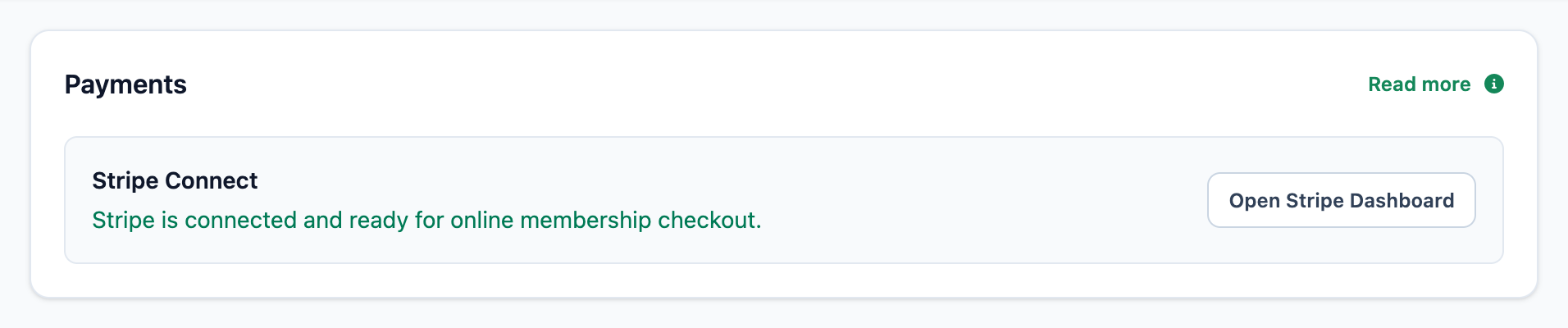
The connected checkout control
Know whether the studio account is ready before the client reaches checkout.
The Payments integration state distinguishes connected and ready, connected but pending, unavailable configuration, and not yet connected.
-
01
Connect the studio account
Stripe owns onboarding, payment credentials, supported payment methods, settlement, and payouts.
-
02
Expose eligible public plans
Connected checkout applies to the current one-time membership and class-pack purchase path.
-
03
Return payment state to Mojo
The purchase record can track payment and fulfillment while the Stripe Dashboard remains the processor view.
Two supported payment paths
Use the handoff with the tracking boundary you expect.
Neither path turns Mojo into a general finance, invoicing, tax, refund, dispute, or payout suite.
| Decision |
Payment Link
|
Stripe Connect
Integrated purchase
|
|---|---|---|
| Setup | ||
|
Where it is configured
The owner chooses one mode for client plan purchases.
|
External URL on each membership plan | Eligible Stripe account connected to the studio |
|
Where the client pays
Both paths leave Mojo for processor-hosted payment entry.
|
The configured external page | Stripe Checkout for the connected account |
| Tracking | ||
|
Payment state in Mojo
What Mojo can know after the handoff.
|
Not tracked or verified | Pending, succeeded, failed, or refunded purchase state |
|
Membership fulfillment
How the paid plan becomes client access.
|
The studio records the result | Successful checkout can create the purchased membership |
| Boundary | ||
|
Processor operations
Cards, settlement, payouts, disputes, refunds, and chargebacks.
|
Owned by the external provider and studio | Owned by Stripe and the studio |
Mojo does not store full client card details and is not the merchant of record for connected-account transactions.
Before you choose a payment mode
Studio payment questions
What can clients buy through connected checkout? +
What is the difference between a Payment Link and Stripe Connect? +
Does Mojo store card numbers? +
Can Mojo charge for a single class or private appointment? +
Does Mojo manage taxes, invoices, refunds, disputes, or payouts? +
Choose the handoff
Connect payment to the plan without pretending it is the whole finance stack.
Publish the eligible class pack, choose the supported payment mode, and keep the boundary clear.
15 days free. No credit card required. €10/month after trial.
Too many bookings happening in DMs?
Share your business name and email and we'll send a few practical ways boutique studios move bookings out of messages and into one clean booking link.