
Beauty salon booking software
Let clients book an appointment without the message thread.
Publish named times for one-to-one appointments and share them in one mobile link. When a client reserves, Mojo turns the opening into a private session on the assigned team member's schedule.
Free for 15 days with no credit card required, then €10/month.

From open time to booked appointment
An available time becomes part of the working day.
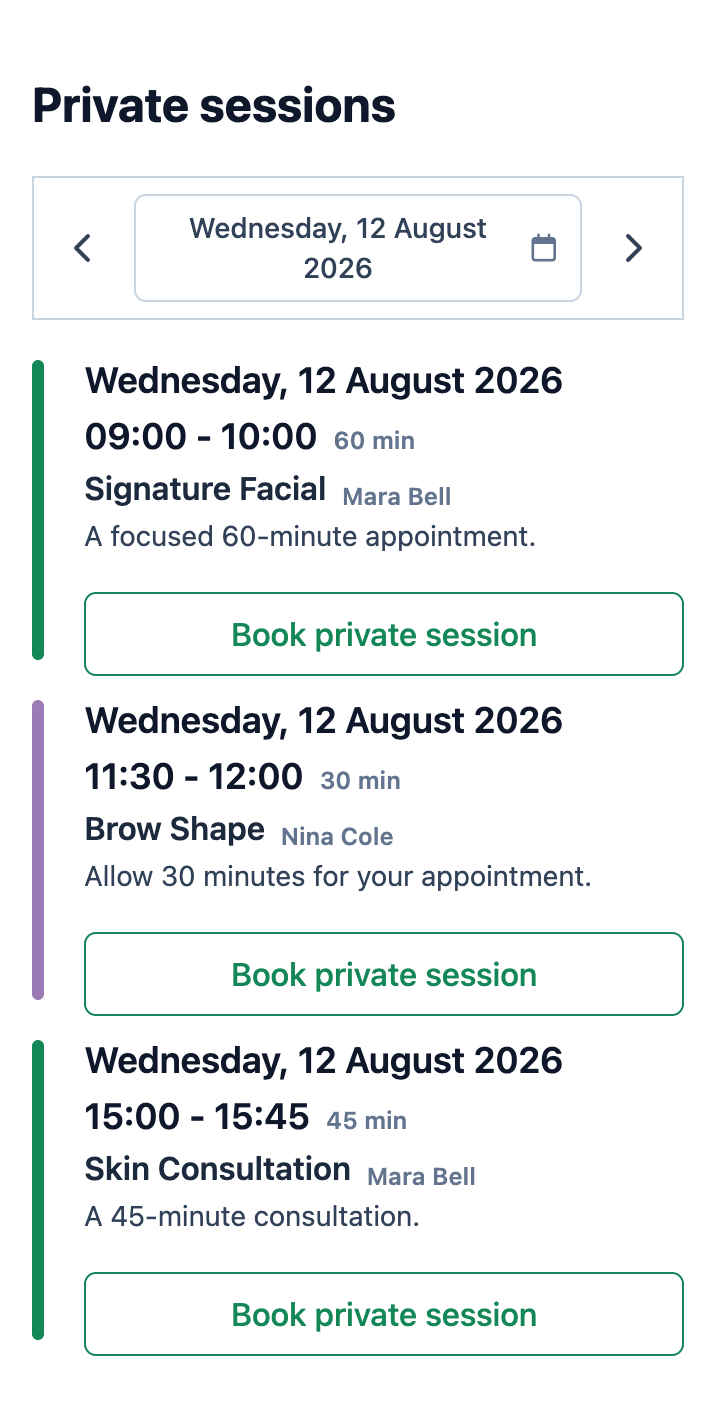
The client sees a simple date-and-time choice. After booking, the open slot disappears and the private session appears on the owner's schedule with the client attached.
-
1
They open one mobile link
Clients arrive from the place where you already talk to them and open the available appointment times.
-
2
They choose a named opening
Each time shows its title, assigned team member, duration, and client-facing notes.
-
3
They identify themselves
A first-time client signs in, completes the required profile details, and reserves the opening.
-
4
You see the booked session
The opening becomes a private session on the owner schedule with the client and team member attached.
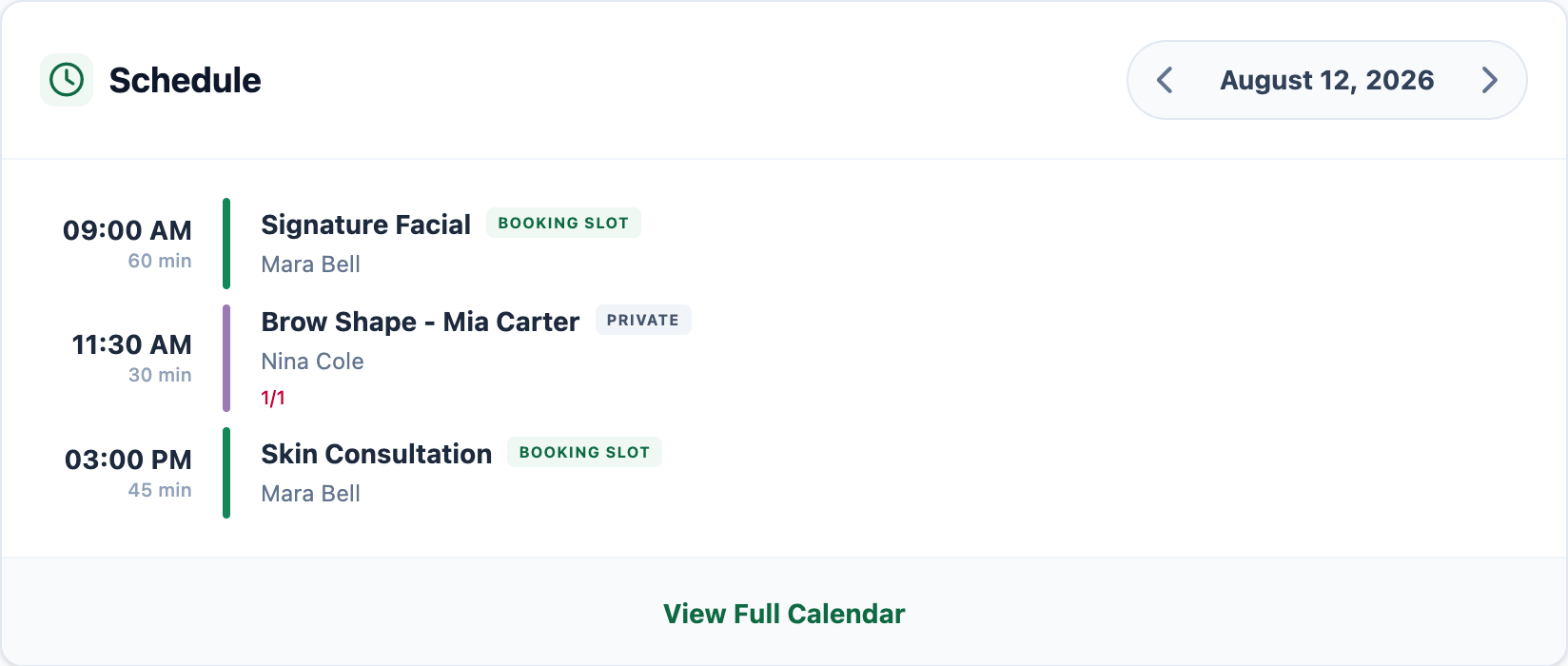
Shown with a Mojo Booking Slot that becomes a Private Session after the client reserves it.
Inside Mojo
Inspect the workflows around the appointment.
Each guide explains one part of the working day instead of repeating the whole Beauty page.
- 01 Studio calendar See individual appointments, open booking times, assigned team members, and schedule changes together. →
- 02 Automated reminders Send eligible confirmed clients an email reminder the day before their appointment. →
- 03 Staff management Keep team access, schedule colors, and appointment ownership clear. →
- 04 Google Calendar integration Connect team events and give clients a simple add-to-calendar handoff after booking. →
From an owner with private clients
Private sessions stay close enough to manage from the phone.
I manage all my private clients and sessions from my phone. It saves me hours every week.
Beauty salon booking software questions
What is Beauty salon booking software? +
How does online appointment booking work in Mojo? +
Can clients choose a service and specialist? +
Do clients need to install an app? +
Does Mojo send reminders and take online payments? +
Why appointment-led teams choose Mojo
Keep the booking and the working day in one place.
Give clients a clear way to reserve while the team keeps the appointment, communication, and daily decisions in the same system.
-
1
One link shows the openings
Share the same mobile booking page from Instagram, WhatsApp, email, or your website without maintaining availability in a second place.
-
2
The open time becomes the appointment
Once reserved, the Booking Slot becomes a Private Session with the client and assigned team member attached.
-
3
The admin work stays nearby
Client records, automated email reminders, staff access, Google Calendar, integrated payments, and reports remain close to the schedule.
Start with the next real opening: give it a clear title, time, duration, and team member, then share the booking link.
For Beauty operators
One useful read on changing prices with care.
A practical framework for explaining a price change without turning it into an apology.

Start with the next opening
Put the next appointment where clients can book it.
15 days free. No credit card required. €10/month after trial.
Too many bookings happening in DMs?
Share your business name and email and we'll send a few practical ways boutique studios move bookings out of messages and into one clean booking link.