
Studio team management
Give every instructor a clear place in the studio.
Keep owners, managers, and instructors in one team list, with the supported access role and a distinct color for each person.
Free for 15 days with no credit card required, then €10/month.
One studio team
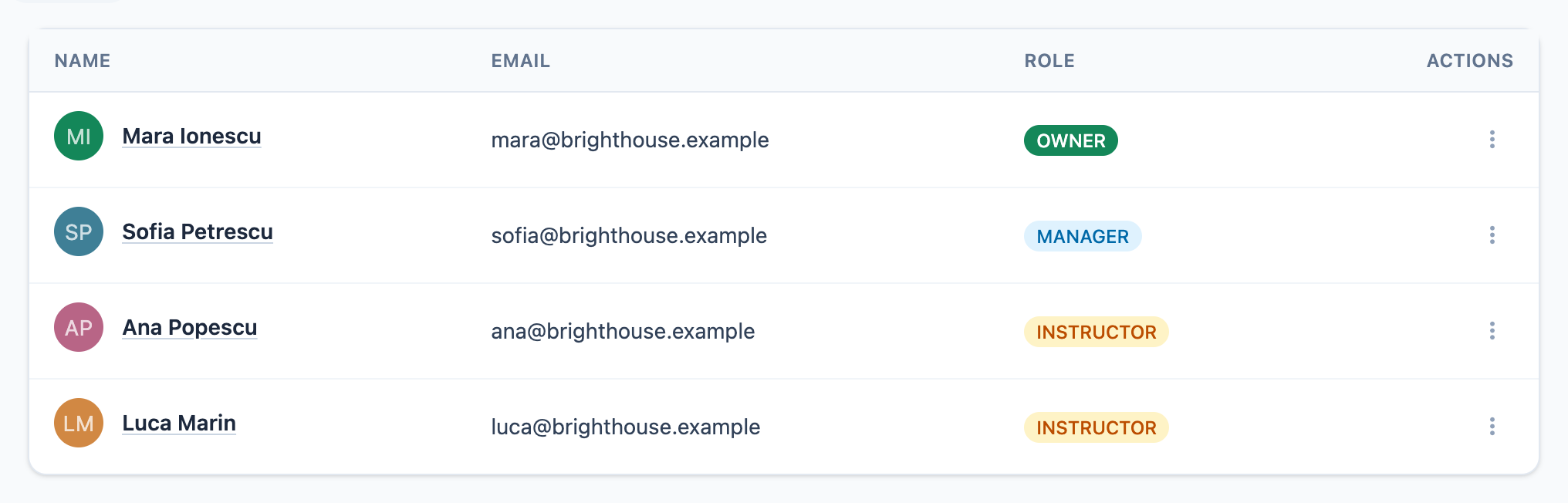
From profile to schedule
Set up the person before you assign the work.
The workflow stays deliberately small.
See the color-coded studio calendar →-
1
Add the team member
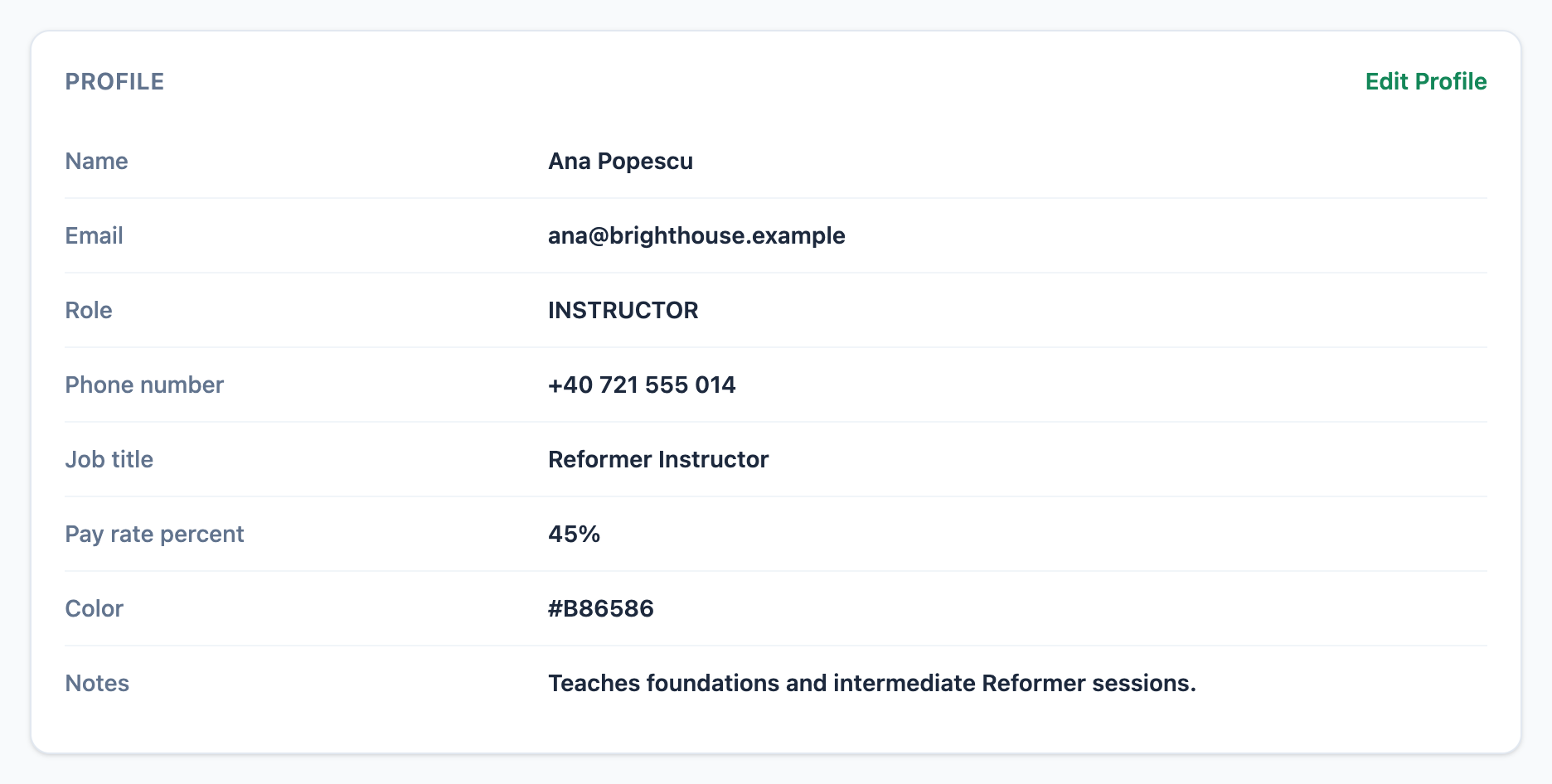
An owner creates the profile with a name, email, phone number, job title, color, notes, and an optional pay-rate percentage.
-
2
Choose the access boundary
Owners have full studio access. Managers can operate the studio without inviting users or changing roles. Instructors are limited to their assigned events and permitted profile fields.
-
3
Assign classes or appointments
The instructor becomes available on supported event forms, and their color makes assigned work easier to recognize in the calendar.
-
4
Archive safely when work changes
Mojo blocks archiving the last owner and requires future assignments and active recurring templates to be reassigned or paused first.
Mojo does not maintain a separate instructor availability calendar or automatically redistribute appointments when a person is archived.
One operational profile
Keep the details the schedule depends on together.
The owner can review the instructor's contact details, role, job title, optional pay-rate percentage, color, and notes from one profile.
-
01
Contact and role
Keep the email, phone number, job title, and supported role attached to the same person.
-
02
Color and assignment context
Use the instructor color as a visual cue when the same person appears on scheduled work.
-
03
Archive without erasing history
Archive or restore a team member while preserving their record; clear future work and active recurrences before archiving.
Before you add the team
Staff management questions
Which staff roles does Mojo support? +
Can instructors update their own profiles? +
Does Mojo manage instructor availability? +
What happens when I archive an instructor? +
Does archiving reassign upcoming sessions automatically? +
How many instructors can I add? +
Build the real team
Set the role. Assign the work. Keep the week readable.
Create your studio team and see how each instructor fits into the schedule.
15 days free. No credit card required. €10/month after trial.
Too many bookings happening in DMs?
Share your business name and email and we'll send a few practical ways boutique studios move bookings out of messages and into one clean booking link.