
Group class scheduling
Move every class from booking to roster.
Publish the class, let clients choose from their phones, and see confirmed, in-review, and waitlisted bookings together before attendance.
Free for 15 days with no credit card required, then €10/month.
Client booking
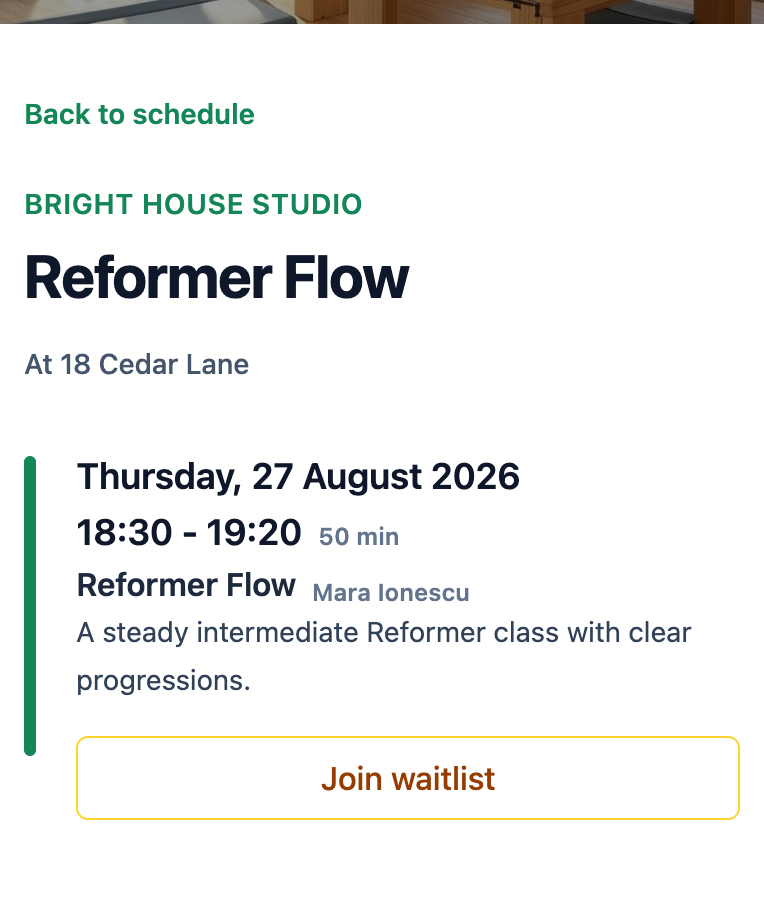
One connected class
Follow the class from schedule to attendance.
The client choice and the owner roster stay connected, without maintaining a separate list.
-
1
Publish the class
Set the date, time, instructor, capacity, public notes, and whether this class uses a waitlist.
-
2
Let the client choose
The booking page shows the available action for that class, including Join waitlist when an enabled class is full.
-
3
Keep the booking state
Mojo records the booking as confirmed, in review, or waitlisted and keeps that status attached to the client.
-
4
Work from the roster
Open the class to review its capacity and people, update statuses manually, and record attendance.
Mojo automatically places a new booking on the waitlist when an enabled class is full. Moving someone into an open spot remains a manual owner decision.
Owner roster
Know who has a place, who needs review, and who is waiting.
The class view keeps capacity and booking status beside the people attached to the session, so the next decision has its context.
See how automated reminders work →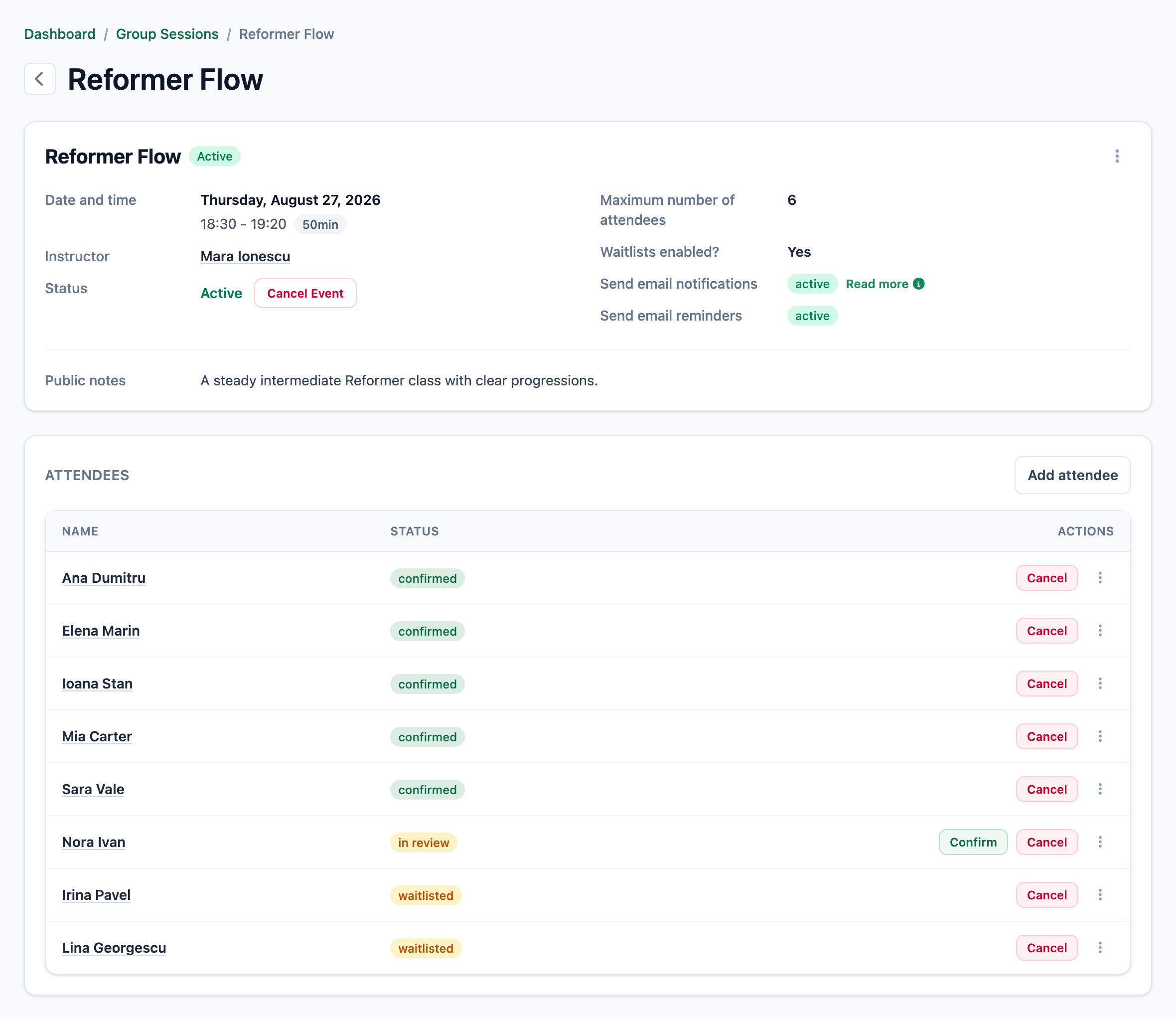
-
01
Read capacity before the names
The class details show the maximum number of attendees and whether the waitlist is enabled.
-
02
See each booking state
Confirmed, in-review, and waitlisted clients remain distinguishable in the same roster.
-
03
Keep the owner in control
Change a booking status deliberately and continue into attendance from the class itself.
Questions before you switch
Group class scheduling, without invented automation.
What is group class scheduling software? +
How does class capacity work? +
How does Mojo's waitlist work? +
Does Mojo automatically promote someone after a cancellation? +
Can clients book group classes from their phones? +
What can the owner manage from the class roster? +
Try it with your class
Put the booking page and the class roster in the same workflow.
Add a real class, set its capacity, and see how Mojo handles each booking state.
15 days free. No credit card required. €10/month after trial.
Too many bookings happening in DMs?
Share your business name and email and we'll send a few practical ways boutique studios move bookings out of messages and into one clean booking link.