
Online booking
Turn one shared page into bookings the studio can act on.
Clients open a mobile schedule, choose a real session, and complete the required booking steps. The resulting status arrives on the owner side instead of staying in a DM.
Free for 15 days with no credit card required, then €10/month.
Client booking page
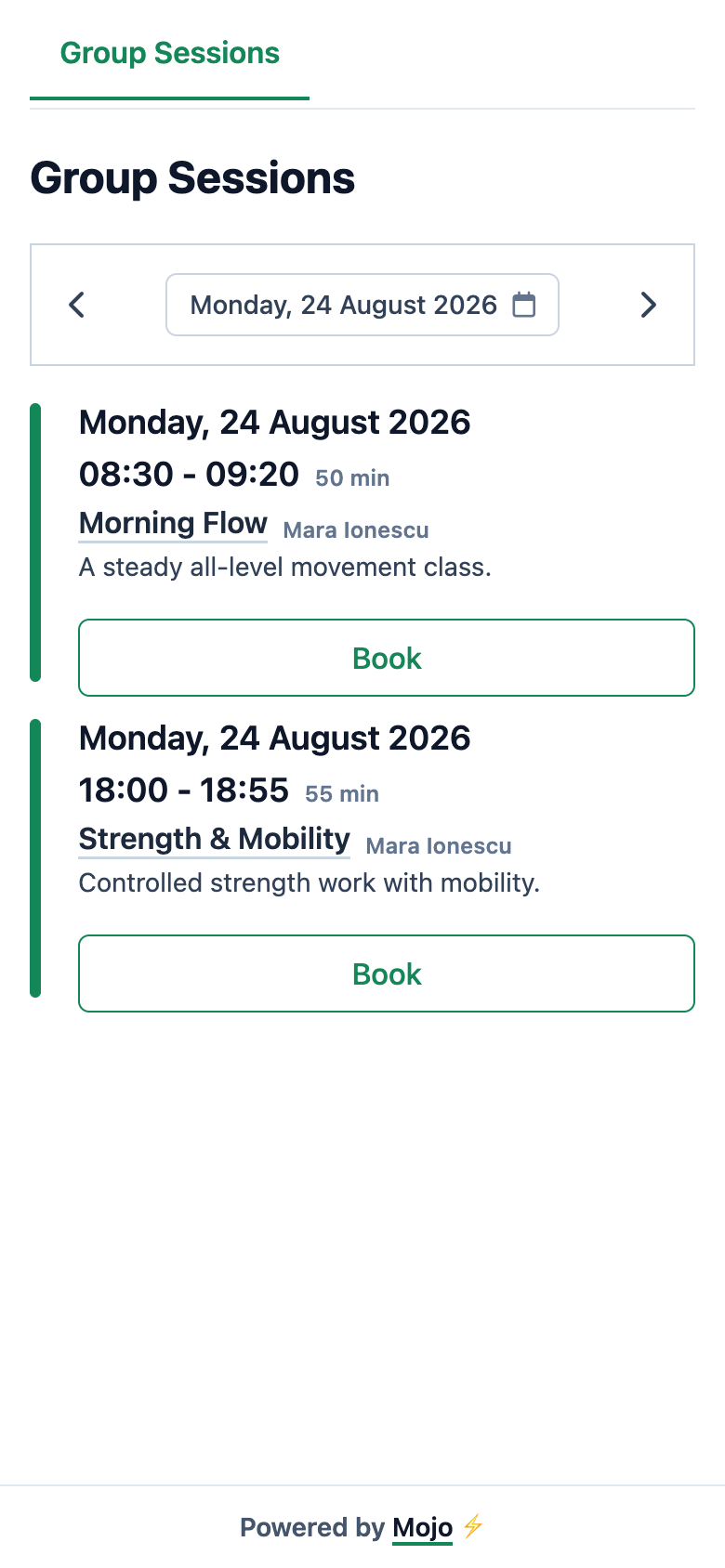
From visit to owner record
The booking page carries the client through the required steps.
The exact status depends on the studio and the booking.
-
1
The client opens the shared schedule
The public page works in a mobile browser and does not require a Mojo app download.
-
2
A new client verifies access and completes the profile
First-time visitors verify their email and supply the required profile details before Mojo completes a booking.
-
3
Mojo applies the booking rules
A returning booking can be confirmed, a first booking can remain in review, a membership-gated booking routes to plan selection, and an enabled full class records the client as waitlisted.
-
4
The owner sees the resulting record
The attendance list keeps the client, booking status, and available owner actions attached to the real session.
Mojo does not promise instant confirmation for every booking. It does not automatically promote the next waitlisted client when a place opens.
The handoff
A client choice becomes an owner-side decision.
The same class can contain a returning client who is confirmed and a first booking that still needs review.
See the complete group-class lifecycle →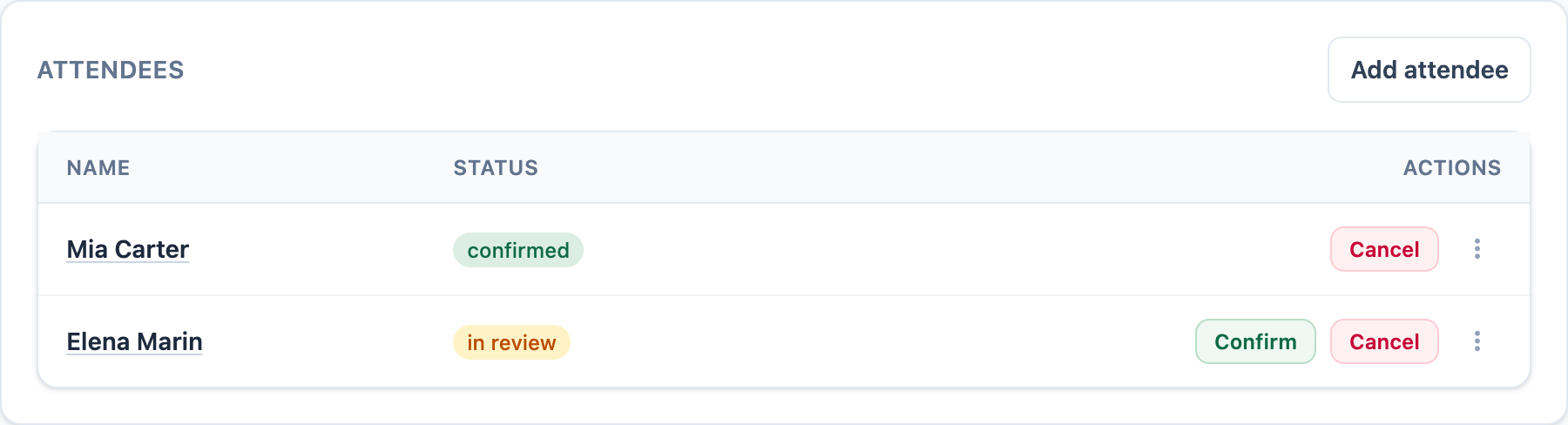
-
01
Keep status close to the name
The roster shows which client is confirmed and which booking still needs review.
-
02
Retain owner control
The owner can confirm or cancel the in-review booking from the session record.
-
03
Continue into the class workflow
Capacity, waitlist placement, reminders, attendance, and membership context remain attached to the event.
Before you share the link
Online booking questions
Do clients need to download an app? +
Does every booking confirm instantly? +
What happens on a client's first visit? +
What if the studio requires a membership? +
Can clients cancel online? +
Does a cancellation automatically fill the place from the waitlist? +
Share a real schedule
Give clients a booking page and keep the outcome in Mojo.
Publish the sessions you already run and follow the first booking into the owner record.
15 days free. No credit card required. €10/month after trial.
Too many bookings happening in DMs?
Share your business name and email and we'll send a few practical ways boutique studios move bookings out of messages and into one clean booking link.