
Yoga scheduling software
Set the weekly rhythm. Keep every class easy to change.
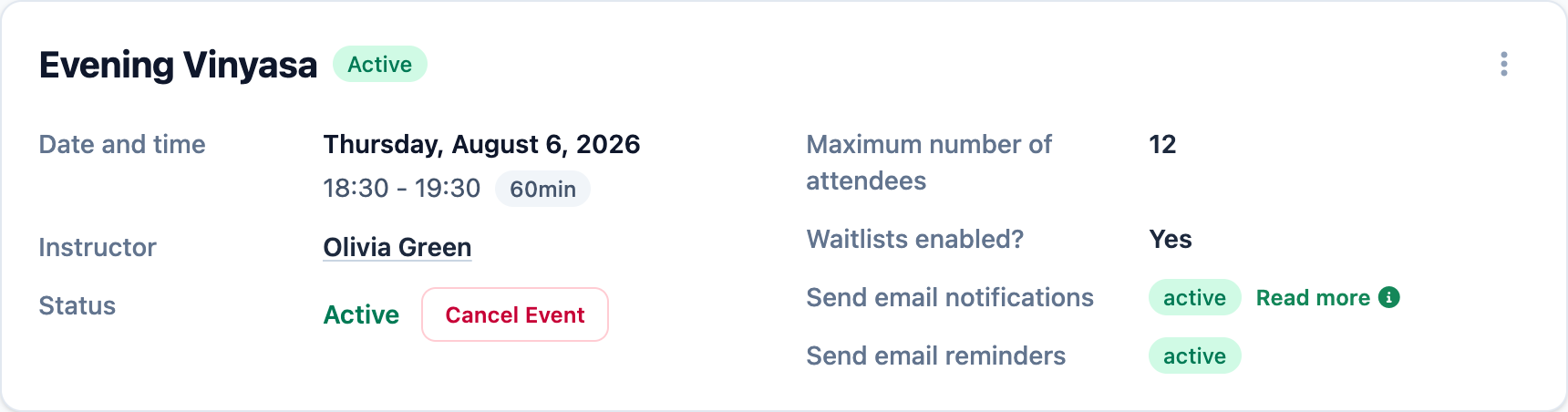
Yoga scheduling software gives your studio one place to create weekly classes, assign instructors, set capacity and waitlists, and keep changes attached to each session. Mojo supports recurring classes, one-off workshops, and private sessions without rebuilding the timetable in a spreadsheet.
Free for 15 days with no credit card required, then €10/month.
From a Yoga studio
A useful timetable stays clear for clients and instructors.
The schedule should answer who teaches, when the class starts, and what happens when demand reaches capacity.
"Running a yoga studio means a lot of moving pieces with multiple teachers, daily classes, and unexpected changes. Mojo's calendar keeps it all in sync. It's simple, clear, and I trust it completely. Our whole team feels more connected."
Yoga scheduling software questions
What is Yoga scheduling software? +
Can Mojo create recurring Yoga classes? +
Can I change one class without changing the whole series? +
Can I schedule workshops and private Yoga sessions too? +
How do waitlists work for a full Yoga class? +
Do reminders and attendance stay connected to the class? +
Why schedule in Mojo
The timetable and the class clients book stay connected.
Set the operating details once, then make each change where the real session, instructor, capacity, and bookings already live.
-
1
Recurring classes start from one pattern
Choose the weekly cadence, instructor, time, duration, capacity, waitlist limit, and date window before Mojo creates upcoming sessions.
-
2
Each session remains editable
Handle a one-off substitute or time change without losing the rest of the series, or update future classes together.
-
3
Booking tools stay close to the schedule
Public availability, waitlists, reminders, memberships, client status, and attendance remain attached to the class.
Start with one weekly class your studio already teaches, review its upcoming sessions, then publish the booking page.
Inspect the timetable
Open the tools behind the weekly schedule.
Go deeper into the calendar, recurring patterns, instructor access, or calendar handoff.
- 01 Studio calendar See classes, private sessions, instructors, and changes across the working week. →
- 02 Recurring class scheduling Create one weekly pattern and manage the upcoming group sessions it produces. →
- 03 Staff management Keep instructor access, schedule colors, and class ownership clear. →
- 04 Google Calendar integration Connect instructor events and give clients an add-to-calendar handoff. →
Software and pricing
Studio software
Free or Paid Yoga Booking Software?
Compare free yoga booking options, payment fees, and plan limits. Use a practical checklist to decide what your small studio needs before paying.
Strategy
How to Raise Prices Without Losing Your Best Clients
Price increases feel risky, but they do not need to trigger churn. Use this step-by-step framework to improve margins while protecting loyalty.
Start with one weekly class
Turn your Yoga timetable into sessions clients can book.
15 days free. No credit card required. €10/month after trial.
Too many bookings happening in DMs?
Share your business name and email and we'll send a few practical ways boutique studios move bookings out of messages and into one clean booking link.