
Recurring scheduling
Set the weekly pattern once. Keep every exception intentional.
Turn a repeating class, private session, or booking slot into a managed series without rebuilding the same instructor, time, and capacity each week.
Mojo recurrence is weekly: choose the weekdays and an optional end date. The template creates future occurrences, while each generated event remains available for attendance and one-off changes.
Free for 15 days with no credit card required, then €10/month.
The source pattern
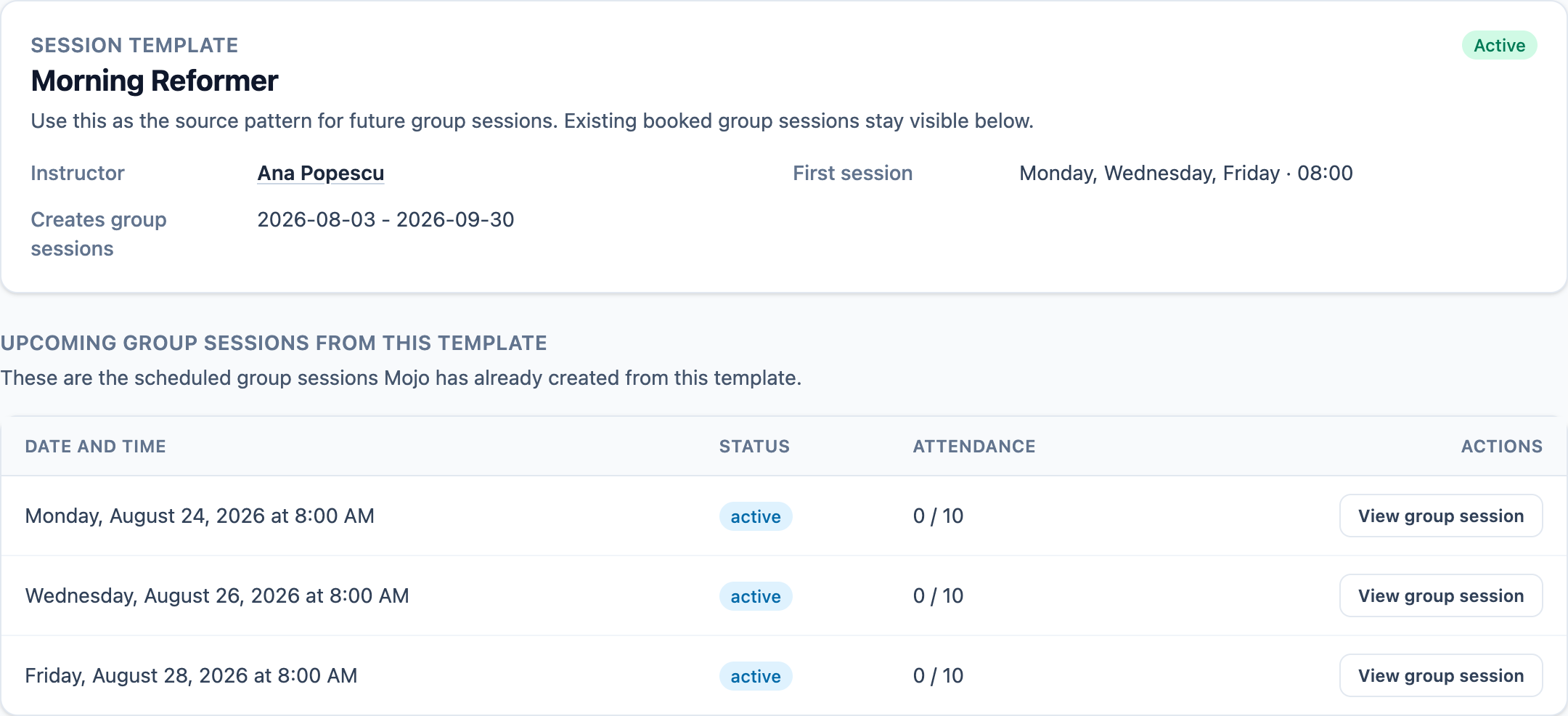
See the template and the schedule it has already created.
The owner can read the instructor, weekly cadence, date window, active state, and upcoming occurrences from one working view.
-
01
Keep one weekly source
Title, instructor, duration, capacity, waitlist settings, public-booking state, weekdays, time, and optional end date belong to the template.
-
02
Generate a rolling window
Without an end date, Mojo keeps the active template populated 56 days ahead.
-
03
Open the generated session
Each occurrence remains a normal event with its own booking, attendance, and status context.
Choose the edit scope
Change the occurrence you mean—not an invisible series.
Mojo exposes the scope before a generated event is saved.
-
1
This occurrence only
Change one generated event. Fields that differ from the template are marked as detached so later generation preserves that exception.
-
2
This and future
Use the selected occurrence date as the boundary, update the template, and synchronize later occurrences to the new pattern.
-
3
All upcoming
Apply the template change from the earliest upcoming occurrence and return to the template view.
-
4
Pause or remove future sessions
Pausing stops new generation but leaves scheduled events in place. Removing future sessions cancels booked events and deletes empty ones.
This is weekly recurrence, not arbitrary interval scheduling. Pattern changes can cancel booked occurrences that no longer fit, so the confirmation and scope deserve an owner decision.
Before you repeat the schedule
Recurring schedule questions
Which event types can repeat? +
Is an end date required? +
Can one occurrence have a different time or title? +
What happens when the weekly pattern changes? +
What does pausing a template do? +
Create the next weekly pattern
Repeat the schedule without hiding the exceptions.
Set the days and time, inspect the generated sessions, and keep one-off changes visible.
15 days free. No credit card required. €10/month after trial.
Too many bookings happening in DMs?
Share your business name and email and we'll send a few practical ways boutique studios move bookings out of messages and into one clean booking link.