
Private session scheduling
Move a private-session request from available time to booked appointment.
Publish the times clients can choose, let them book from a mobile page, and keep the resulting private session attached to the client and instructor.
Free for 15 days with no credit card required, then €10/month.
Available private times
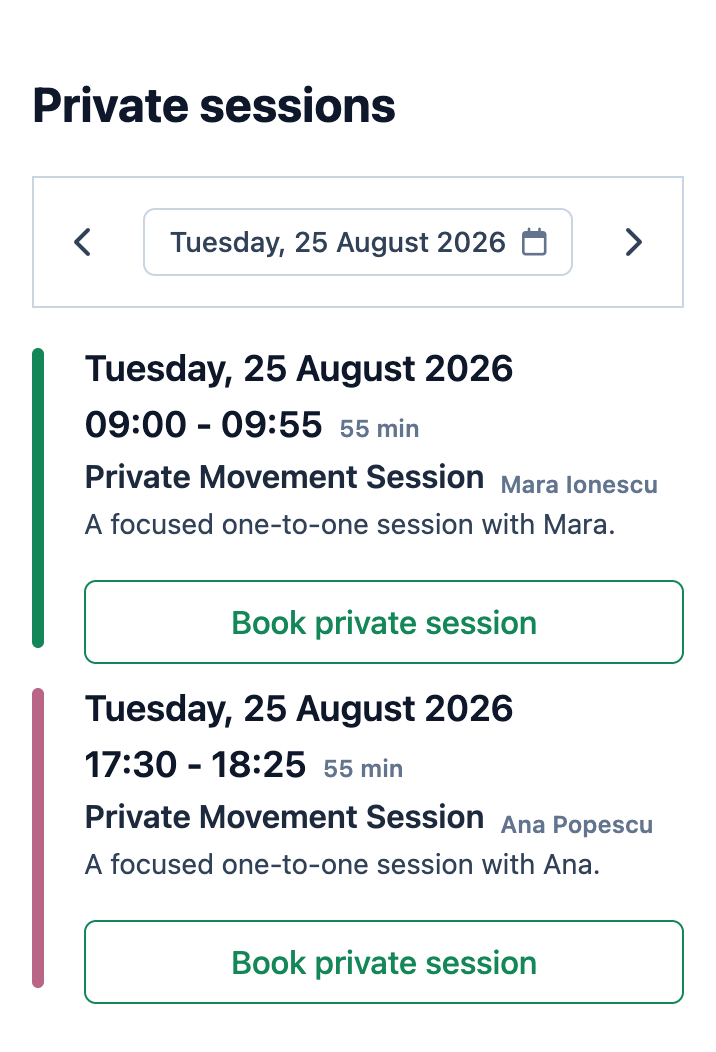
One appointment lifecycle
Availability becomes a private session without retyping the booking.
The detailed slot setup remains a separate workflow.
-
1
The owner publishes an available time
A booking slot carries the instructor, start time, duration, capacity, title, and public notes shown to the client.
-
2
The client chooses the appointment
The public private-sessions view shows available slots and eligible publicly bookable private sessions for the selected date.
-
3
Mojo applies access and membership rules
The client verifies access, completes required profile fields, and chooses an eligible membership or class pack when the studio requires one.
-
4
The time becomes a private-session record
Booking an open slot converts it into a confirmed private-session event and creates the client's attendance record. The attendance status still follows the current first-booking and review rules.
Mojo does not automatically optimize staff workloads, choose an instructor for the client, or distribute appointments through a marketplace.
The booked outcome
Keep the client, instructor, and appointment details on one record.
The owner can open the booked session and see the time, duration, instructor, client attendance, capacity, status, and public notes together.
See the channel-flexible booking journey →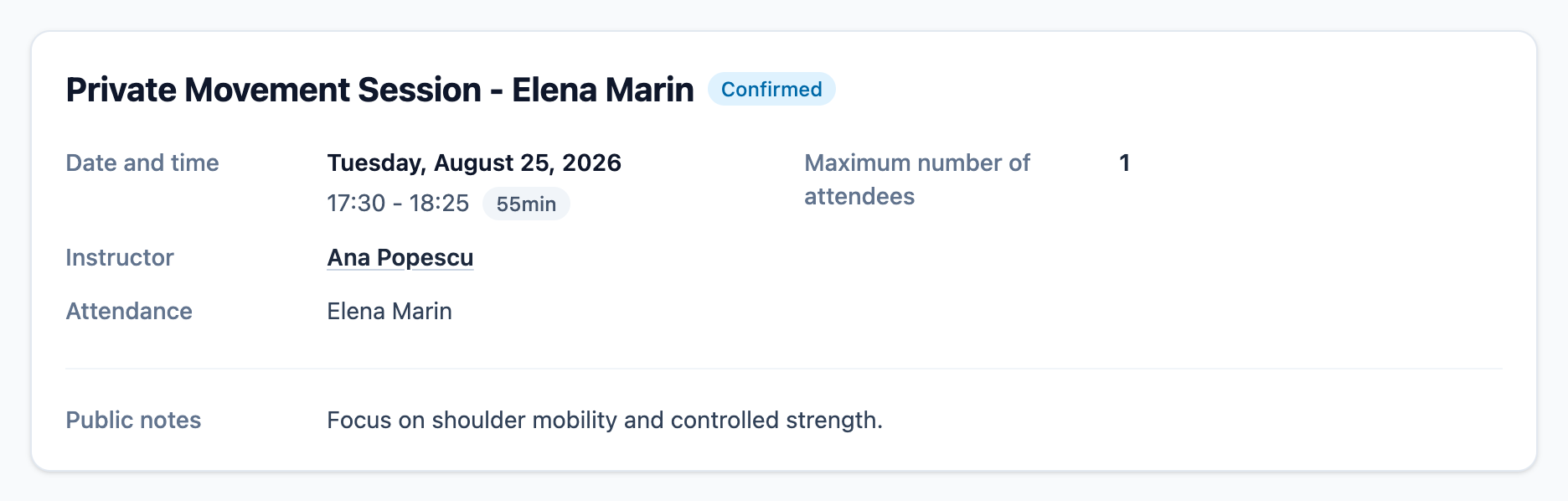
-
01
Preserve the chosen instructor
The booked appointment stays assigned to the instructor whose availability the client selected.
-
02
Keep attendance attached
The client receives an attendance record connected to the private session, with its own review or confirmation state.
-
03
Manage the session lifecycle
Owners can edit, cancel, complete, or duplicate the appointment using the current private-session controls.
Before you publish availability
Private session questions
How do clients choose a private session? +
What happens when a booking slot is booked? +
Is the client attendance always confirmed? +
Can private sessions require a membership or class pack? +
Can an owner add or edit a private session directly? +
Does Mojo assign the best available instructor automatically? +
Publish the next opening
Give one available time a complete booking path.
Create the appointment you want to offer and follow the client into the booked private-session record.
15 days free. No credit card required. €10/month after trial.
Too many bookings happening in DMs?
Share your business name and email and we'll send a few practical ways boutique studios move bookings out of messages and into one clean booking link.