
Pilates scheduling software
Build the week once. Keep every class in view.
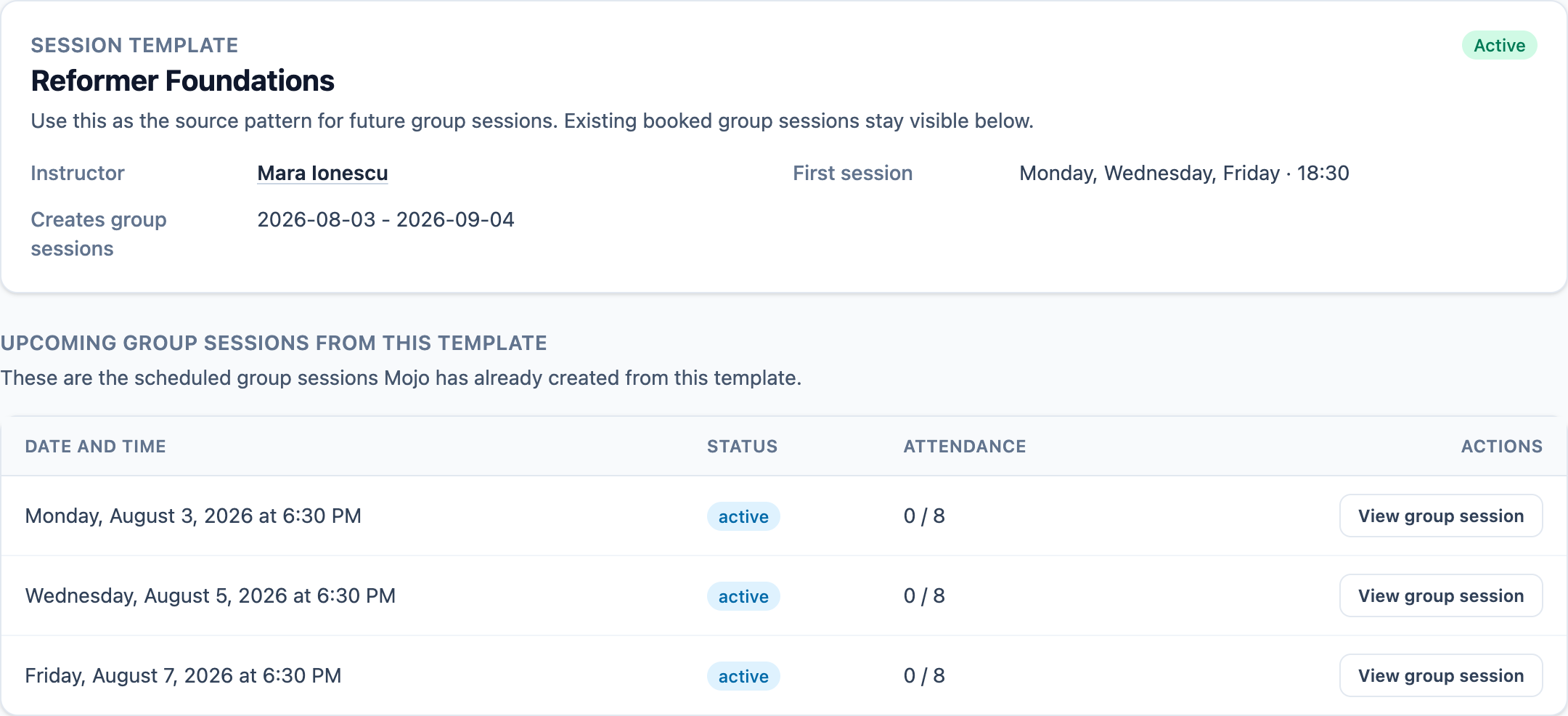
Create recurring Reformer and mat schedules, assign instructors, set capacity, and review every upcoming class before clients book. Mojo keeps the working calendar, waitlists, reminders, and attendance connected.
Free for 15 days with no credit card required, then €10/month.
From a Pilates owner
One calendar replaces the daily reconstruction.
The schedule works best when the owner can trust it before the first class begins.
"Mojo changed everything for our Pilates studio. I used to juggle DMs, spreadsheets, and my memory just to know who was coming in. Now I check the calendar once and I'm set for the day. Our clients love how organized everything feels."
Pilates scheduling software questions
What is Pilates scheduling software? +
How does Mojo handle recurring Pilates classes? +
Can I change one class without changing the whole schedule? +
Can clients book from the published Pilates schedule? +
How do Pilates waitlists work in Mojo? +
Do reminders and attendance stay connected to the class? +
Why run the schedule in Mojo
The recurring pattern and the real class stay connected.
Set the operating rules once, then keep every booking and class-day decision close to the session it belongs to.
-
1
Recurring classes start from one pattern
Choose the weekly cadence, instructor, time, duration, capacity, waitlist limit, and date window before Mojo creates the upcoming sessions.
-
2
Bookings stay attached to the schedule
Clients reserve from the published availability while the owner sees the corresponding class, places, and booking status.
-
3
Class-day tools are already there
Automated reminders, waitlists, attendance, memberships, class packs, and integrated payments stay close to the schedule.
Start with one recurring class your studio already runs, review the generated sessions, then share the booking page.
Inside the schedule
Go deeper into each scheduling decision.
Use the focused product guides when you need more detail on the calendar, recurring classes, instructors, reminders, or calendar handoff.
- 01 Studio calendar See classes, private sessions, instructors, and changes across the working week. →
- 02 Group sessions Manage recurring classes, capacity, booking status, waitlists, and attendance. →
- 03 Staff management Keep instructor access, schedule colors, and class ownership clear. →
- 04 Automated reminders Send eligible clients an email reminder before class without following up one by one. →
- 05 Google Calendar integration Connect instructor events and give clients a simple add-to-calendar handoff. →
For Pilates operators
Useful reads for the decisions around the timetable.
Two perspectives on the social demand behind classes and the pricing choices that shape the week.
Growth
The Rise of Social Fitness
Social fitness is now a measurable growth driver. Here is the data and operating playbook for studio owners who want stronger retention, referrals, and fill rates.
Strategy
How to Raise Prices Without Losing Your Best Clients
Price increases feel risky, but they do not need to trigger churn. Use this step-by-step framework to improve margins while protecting loyalty.
Start with the class you already teach
Turn your weekly Pilates pattern into a schedule clients can book.
15 days free. No credit card required. €10/month after trial.
Too many bookings happening in DMs?
Share your business name and email and we'll send a few practical ways boutique studios move bookings out of messages and into one clean booking link.